Your day, side by side.
See your greeting, daily progress and a 2×2 summary grid on the left, with My Tasks and the upcoming calendar on the right. Enable Quick Tidy to keep your timer above your tasks.
 HomeShine
Now available on the App Store
Give everyone a clear share of the household jobs. Plan recurring chores, see what needs doing and keep one shared shopping list, all in HomeShine for iPhone.
Available now for iPhone. iPhone Duo support coming soon.
For families, housemates
and everyone who calls it home.
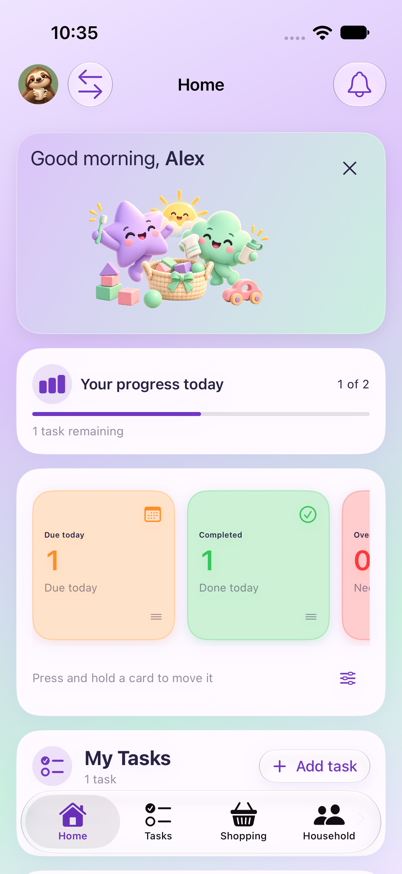
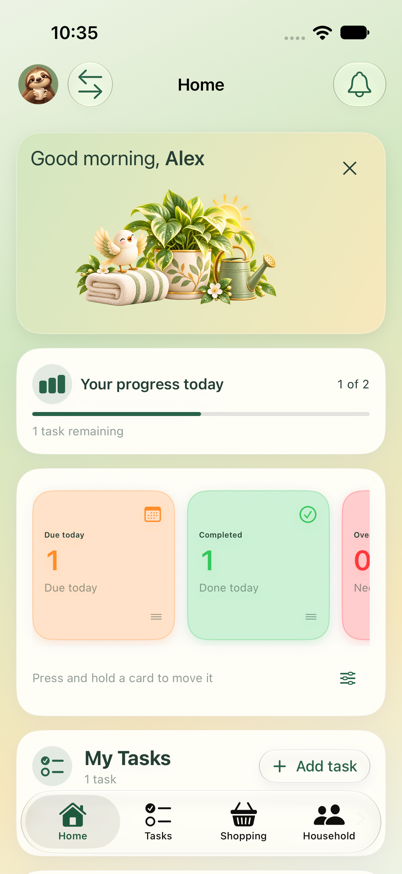
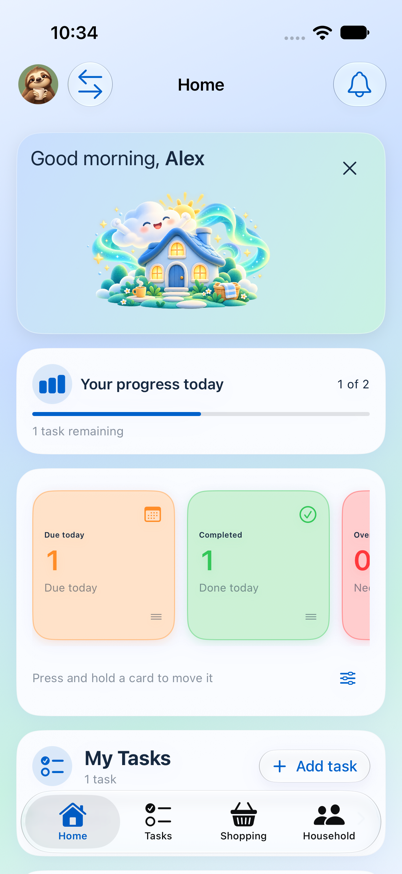
Playful lavender & mint · Daylight & Aurora · Original sage
Real app screenshots. Same themes, day or night.
iPhone Duo · Coming soon
HomeShine 1.1.0 brings layouts designed for iPhone Duo, making the most of the fully open screen in landscape. The update has been submitted to the App Store and is awaiting Apple’s approval.
See your greeting, daily progress and a 2×2 summary grid on the left, with My Tasks and the upcoming calendar on the right. Enable Quick Tidy to keep your timer above your tasks.
Keep favourites on the left and your Needed and Bought lists on the right, so regular purchases stay close while you plan your shop.
Browse the settings menu on the left while viewing your selected options on the right, with more room to personalise HomeShine.
Coming in version 1.1.0, subject to App Store approval. HomeShine is already available for iPhone; this update will add the expanded iPhone Duo experience.
Everyday life, a little lighter
Create a task with a clear title, start from a chore template, or add a checklist. Room and category are optional, so quick jobs stay quick.
Add several items in one go, save favourites for next time, and keep Needed and Bought neatly organised. Category suggestions and duplicate checks help with the details.
Completed a task or bought an item too soon? Undo gives you a quick way back. A little haptic feedback marks a successful completion on supported iPhones.
Enable push reminders, choose quiet hours and opt into a daily summary. Filter notifications and jump to the task or message that matters.
Invite family or housemates, choose permissions and switch homes using the circular arrows beside your avatar. Each household has its own tasks and shopping.
Choose a colour theme and light, dark or automatic appearance. Illustrated greetings, optional gradients and customisable cards make your home feel like yours.
A little more helpful, every day
The latest HomeShine brings everyday essentials closer, from the weekly shop to the messages everyone needs to see.
Save shopping favourites on your device and add several items in one go. Less typing, more getting on with your day.
Pin household messages, acknowledge them as seen, and arrange your Household cards around what matters to you.
Keep everyday essentials nearby on your iPhone with Home Screen widgets for tasks, shopping and quick actions.
A look inside
Actual iPhone app screenshots with fictional names, tasks and shopping. Explore each part of HomeShine below.
Home · Your household at a glance
01 / Home
See how things are going without digging through lists. Your Home tab brings household tasks, personal progress and upcoming plans together.
02 / Tasks
From a quick one-off job to a weekly routine, give every chore a place and make it clear who’s doing what.
Shopping · Your household’s shared list
03 / Shopping
Keep what you need and what you’ve bought together, with tidy categories and quick actions that fit a trip around the shops.
Household · Everyone’s part in the bigger picture
04 / Household
Keep household messages and shared progress in one place, with a clear view of how everyone is getting on.
Make yourself at home
Pick a palette, try its light and dark looks, and see how a few personal touches can make HomeShine feel like yours.
Daylight & Aurora
Available now
HomeShine is now available on the App Store. Bring your chores, shopping and household messages together, and make a little more room for everything else.
Download HomeShine, then sign in with Apple or Google to get started.
No TestFlight invitation needed. Pricing and device compatibility are shown on the App Store.
apps.apple.com/us/app/homeshine/id6825321187Good to know
HomeShine is available now on the App Store. View HomeShine and download the app, then sign in with Apple or Google to create or join your household.
Our iPhone Duo update is coming soon in HomeShine 1.1.0. It has been submitted to the App Store and will be released after Apple approves it. The fully open landscape layout makes room for your dashboard, tasks, shopping and settings side by side. No release date is confirmed yet.
This website showcases HomeShine. The browser app has been retired; create your account and manage your household in the app.
Use Sign in with Apple or Google in the app. Invite the people you live with to join your household.
You control notification permission, reminder sounds and quiet hours. Your device’s silent mode and Focus settings still apply. Daily summaries are optional.
Email support@homeshine.app. For privacy questions, contact privacy@homeshine.app.
Practical ideas for your household
A flexible starter plan, with short daily jobs and a weekly reset you can share.
Agree what needs doing, include the planning work and make responsibilities clear.
No perfect homes required.
HomeShine for iPhone